
As server-side tracking becomes more widespread, more companies are implementing it as a part of their tracking stack. However, this is often done without fully leveraging its capabilities and benefits, resulting in significantly lower value from the setup.
These are the most common setup mistakes I’ve seen:
Not using a first-party domain
Using a first-party (your website’s) domain is one of the most important steps in building a high-quality server-side tracking setup.
By default, ad platforms use their own domains for loading tracking scripts and sending data from your website. Browsers like Safari and Firefox, which have active tracking prevention mechanisms, can block or limit such tracking. To some extent, this can be mitigated by using first-party domains.
Using a first-party domain for server-side tracking not only helps reduce browser tracking restrictions, but also significantly improves data quality, reliability, and security. A first-party domain should be used for:
- Loading Google tags (Google Tag Manager, Google Analytics 4, Google Ads). This is what Google refers to as a Google Tag Gateway, although there are several ways to implement it.
- Sending data from web GTM to server-side GTM, commonly via GA4 requests.
- Setting and reading first-party cookies within your business domain.
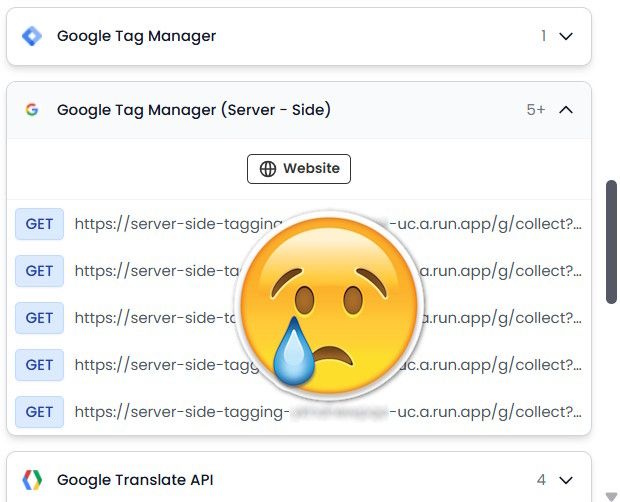
Unfortunately, I’ve often seen server-side setups using automatically provisioned server-side GTM URLs. This is a critical implementation mistake, especially given that doing it correctly requires relatively little effort and provides substantial benefits.
Choosing the right server location for server-side GTM hosting
Choosing a server closer to the regions where most of your users are located reduces latency. For businesses operating in Europe or targeting EU markets, selecting EU-based servers is also important for GDPR compliance.
Ignoring privacy regulations
With server-side tracking, data transfers to external platforms (e.g. GA4 or Meta Ads) happen through the server, making them invisible to the browser and website visitors. While it may be tempting to exploit this, I strongly recommend complying with the privacy regulations applicable in your region.
There is a dangerous myth that server-side tracking does not require consent under GDPR and ePrivacy regulations in Europe. This is not true. You must comply with privacy regulations regardless of the technical solution used.
Server-side tracking can also enhance data privacy, as it gives you full control over what data is sent to platforms. You can redact or transform data before forwarding it – unlike web pixels, which may automatically scrape and transmit any data they can access on the page.
Poor data management in server-side GTM: sensitive data and irrelevant parameters
Data management is one of the main benefits of server-side GTM because it gives you much greater control over what data is sent to analytics and advertising platforms.
GA4 requests are commonly used to send data from the client-side browser environment to the server-side Google Tag Manager (sGTM) container for further processing, enrichment, validation, and routing to various marketing and analytics platforms. In such setups, GA4 requests often contain all the data needed by multiple platforms.
Without proper transformations and filtering, you may unintentionally send excessive or sensitive data to platforms you did not intend to share it with, as some server-side tags can read and forward all parameters they receive.
Depending on the tag template being used, you may need to:
- Explicitly define which data should be sent in the tag settings, and preprocess it if needed.
- Exclude parameters that should not be forwarded.
This can be managed both in tag settings and through the Transformations section in server-side GTM.
Some useful transformation examples include:
- Excluding user data (email, phone number, etc.) sent via GA4 for Google Ads Enhanced Conversions to avoid exposing personally identifiable information (PII) as custom variables in the Google Ads UI or unintentionally sending it to other platforms.
- Excluding parameters intended specifically for Meta Ads from other platforms, such as
event_idused for event deduplication. - Augmenting server-side Google Ads purchase conversions with
transaction_id, since the official server-side Google Ads conversion tracking tag template does not currently support this field.
Also, be mindful of what data is exposed in web-to-server GTM requests. I’ve seen cases where Meta, TikTok, and other platform secret tokens were exposed in browser requests sent from web GTM to server-side GTM. These tokens should instead be configured directly in server-side GTM settings, so they are never publicly exposed in browser network requests.
GA4 Client ID cookie setup: JavaScript-managed vs server-managed
In the server-side GTM GA4 Client settings, you can choose between JavaScript-managed or server-managed Client IDs. Depending on the configuration, GA4 will use different cookies and Client ID values.
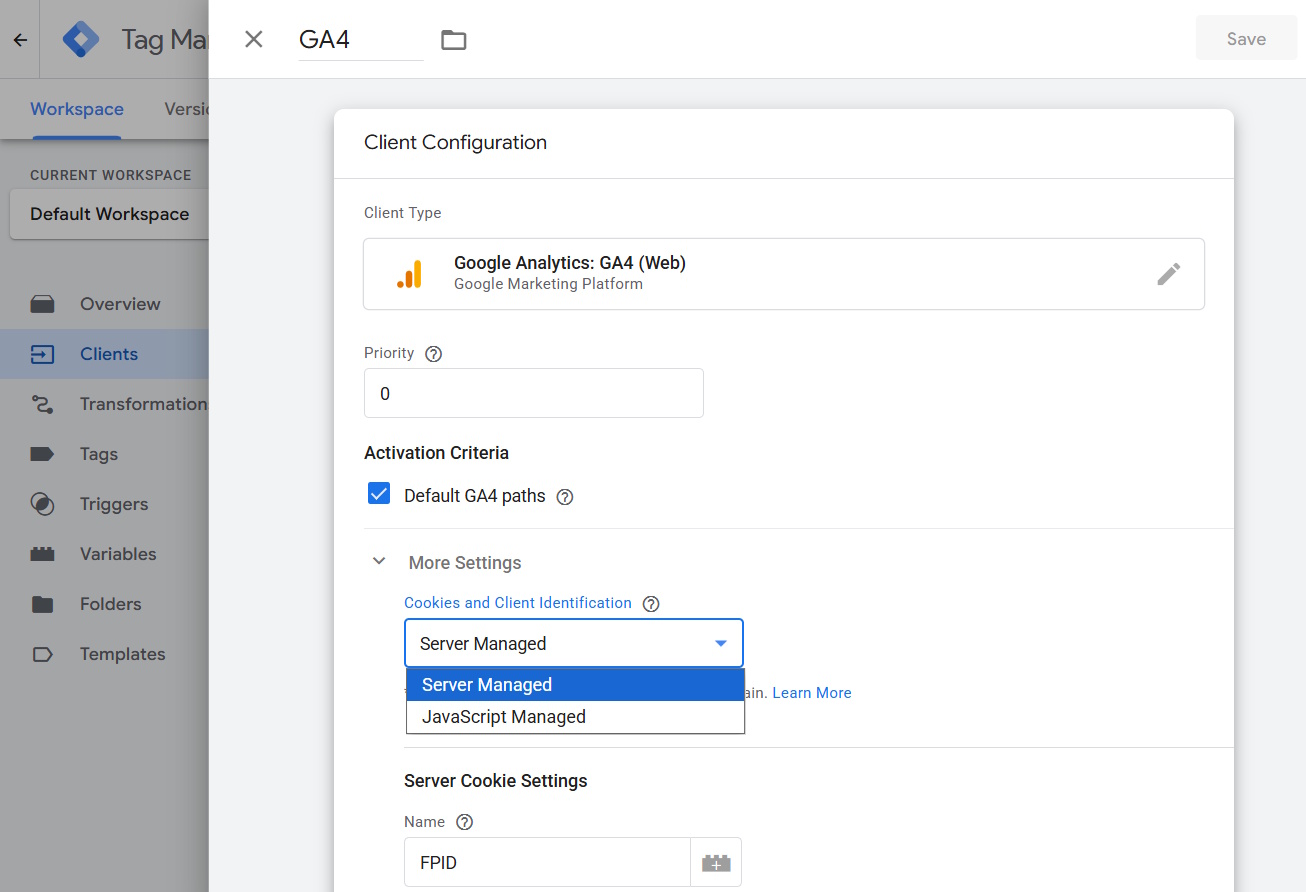
JavaScript-managed cookies (traditional client-side GA4)
- Cookies are set directly in the browser via JavaScript
- More exposed to browser privacy restrictions and ad blockers
- Easier for tracking prevention systems to identify
- Limited control over cookie lifecycle and security
- Higher risk of shortened attribution windows
Cookie name: _ga_GA4ID
Server-managed cookies:
- Cookies are set and refreshed through your own first-party server endpoint
- Better durability under Safari ITP and evolving browser privacy restrictions
- Stronger control over expiration, security, and identity handling
- Reduced dependency on third-party domains
- Improved session continuity and conversion matching
Cookie name: FPID
If you already use standard GA4 web tracking and are migrating to server-side tracking, you should either:
- Keep the JavaScript-managed identifiers, or
- Switch to server-managed identifiers and enable “Migrate from JavaScript Managed Client ID” to ensure a smooth transition.
If you use the GA4 Measurement Protocol and store the Client ID in your backend to send later via postbacks or webhooks, make sure you use the correct identifier values. If you use a server-managed Client ID, you must store and send the Client ID generated by the server — not the _ga cookie value. Otherwise, events sent via the GA4 Measurement Protocol will have the wrong attribution.